
UP Faith & Family
UP Entertainment, LLCEntertainment
4.25.55K Reviews
- Version
- 10.402.1
- Installs
- 1.00M
- Age Rating
- Everyone
Screenshots
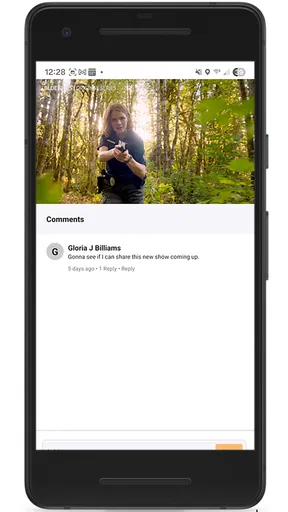
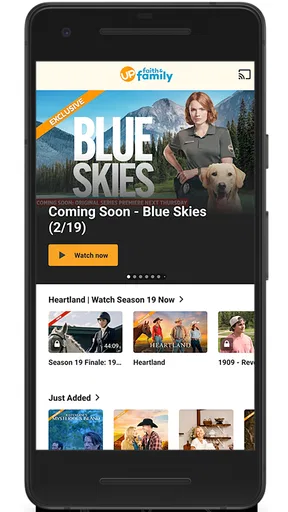
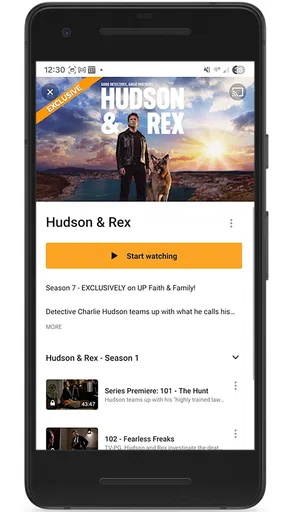
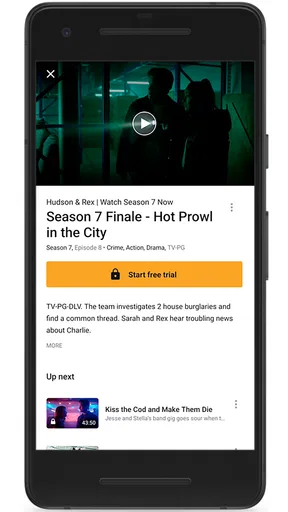
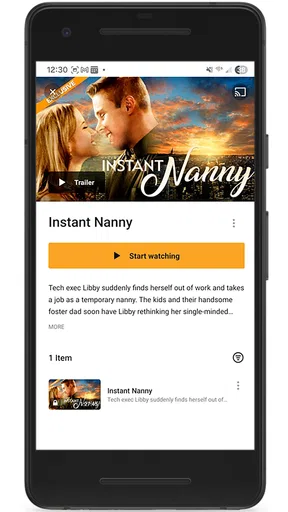
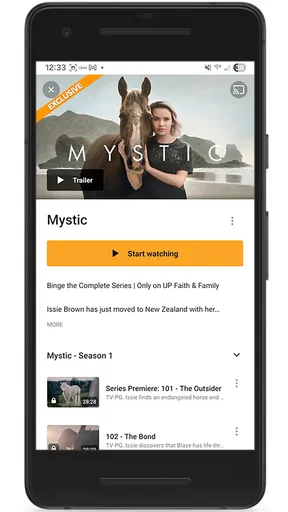
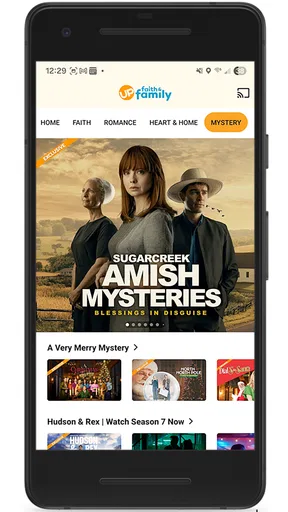
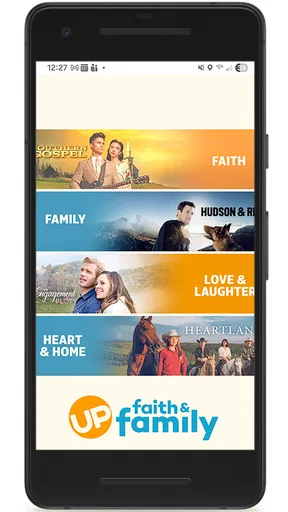
Our Review of UP Faith & Family
 Analysis by Appyee
When I choose a streaming app for a shared screen, I care about more than whether its catalogue sounds appealing. I also want to know what kind of viewing experience it is designed to provide, what choices I can make along the way, and whether its narrow focus suits the people who will actually use it. UP Faith & Family is an entertainment app from UP Entertainment, LLC, built around family-friendly and faith-oriented viewing. That focus is its clearest strength, but it also makes it a more specific choice than a general streaming service.
It is free to download, though watching through the service may involve in-app purchases priced from $5.99 to $59.99 per item. I would treat that range as a reason to check the subscription terms shown in the app before starting a paid plan, rather than assuming that downloading it means the full service is free. The app is rated for Everyone, and its current version is 10.001.1, with Android 8.0 or later required. Those details make it approachable for a wide range of households, but they do not replace the practical question: does its selection match what you and your family want to watch?
A focused service for choosing what to watch together
The app has an average rating of 4.3 from around 11,000 ratings, with more than a million installs. I see those figures as useful context for an established entertainment app, not as proof that every viewer will find the same things to like. Its appeal depends heavily on whether you want programming selected for a family- and faith-friendly setting, rather than the widest possible mix of mainstream films and shows.
Why the trust question starts with the viewing context
For me, the main trust question here is not whether a streaming service can promise that every title will suit every family. It is whether I can make an informed choice about what to play and who will be watching. A focused catalogue can make browsing feel less like sifting through unrelated options, especially when I am picking something for a mixed-age room. Still, “family-friendly” is a starting point, not a substitute for a parent checking a particular title when its themes matter to their household.
I also distinguish between a service’s subject matter and its handling of personal information. The app’s family-oriented identity tells me what kind of entertainment it aims to offer; it does not, by itself, answer questions about permissions, data practices, or account controls. I avoid treating a reassuring catalogue description as evidence about those separate matters. If those details are important to you, review the privacy and permission information presented by your device and the service before creating an account or entering payment details.
Making a deliberate start instead of signing up on autopilot
The store identifies the app as free, while also listing in-app purchases. That distinction is worth keeping in mind from the first tap: installing it is not the same thing as having unlimited viewing at no cost. When I consider any streaming subscription, I first check what the current in-app offer includes, when billing begins, and how cancellation works through the route I used to subscribe. Those are practical steps, not reasons to avoid the app; they help prevent a trial or subscription from becoming an accidental expense.
The published review below describes a free trial and a straightforward sign-up flow. Trials can be useful for testing whether a catalogue fits your routine, but I would read the current terms carefully before activating one. I would also make a note of the renewal date and check whether the subscription is managed through the app store or another account route. That small bit of housekeeping matters most if you only want to sample a few titles rather than keep a regular streaming subscription.
Choosing content with other people in mind
One useful way to judge a service with a defined family focus is to start with a specific viewing occasion instead of browsing aimlessly. For a quiet evening with relatives, I might search for a film everyone can sit through; for a solo watch, I might look for a series with a tone that suits my own interests. Keeping the occasion in mind makes the catalogue easier to assess and helps reveal whether its range is broad enough for more than one person in the household.
A practical trade-off is that a more focused selection can make the first choice easier, while offering less variety for viewers who want current mainstream releases, edgier drama, or a broad collection of unrelated genres. If someone in your home wants those things, a large general-purpose service may be a better fit—or the two types of service may serve different nights. I would not choose this app expecting it to replace every other source of entertainment.
What to check before a child presses play
An Everyone age rating is a helpful broad signal, but it is not a promise that every title will suit every child or family preference. I would use the rating as one piece of context and look at the individual programme before handing over the remote, especially when a child is watching alone. A quick title check is a more dependable habit than assuming that a service’s overall positioning settles every question about content.
Parents should also separate content suitability from account and device privacy. Before letting a child use a streaming app independently, I would check the controls actually visible in the installed version and confirm who can access the account on the device. I would not assume that profiles, a PIN, or a particular parental setting are present unless I can see and test them. That approach keeps expectations grounded and gives the adult a chance to decide how much independence makes sense.
Have you ever settled down on a cozy evening, craving some wholesome entertainment that doesn't make you flinch every five minutes? Well, let me introduce you to UP Faith & Family, a streaming service that promises to keep your binge-watching guilt-free and filled with positivity. I dove into this app to see if it could really deliver, and here’s what I found.
What Is It Like to Browse?
It’s like that comforting cup of cocoa on a chilly day—it's warm, delightful, and just makes you feel good. It’s an on-demand streaming service focusing on family-friendly and faith-based content. Whether you’re looking for inspiring films, faith-filled series, or something the whole family can enjoy, this app aims to be your go-to.
The app is available on both Android and iOS, and it’s pretty easy to navigate. You’ll find a variety of genres from drama and comedy to documentaries and kids’ shows. The interface is intuitive, which means even the not-so-tech-savvy can find their way around without feeling lost.
Getting Started with the App
Signing up was a breeze. You download the app, fill in your details, and boom—you’re in. There’s even a free trial to let you test the waters before diving in fully. Now, if you’re anything like me, you’d appreciate knowing what you’re getting into. And the free trial is perfect for that.
Right after signing up, I was greeted with a clean and straightforward home screen. Categories are neatly laid out, and there’s a search bar for the times you know exactly what you’re looking for. Honestly, I was relieved not to be bombarded with overwhelming options or ads. It’s just smooth sailing.
Content Variety and Quality
Now, let’s talk content. What makes the app stand out is its commitment to positive and uplifting programming. We're talking about titles that don’t just entertain but also inspire. I found a delightful mix of exclusive series, classic family movies, and documentaries that tug at the heartstrings.
Some of the highlights include heartwarming series like "Heartland" and "Bringing Up Bates." If you’re into family dramas with a touch of comedy, you’ll find plenty to love here. Plus, for those who appreciate faith-based narratives, there are shows that speak to spiritual growth and family values.
The video quality is quite impressive. Most content streams smoothly in HD, as long as your internet connection is up to par. No frustrating buffering here, folks!
Navigating the App
Moving between sections is a breeze with the app’s minimalistic design. There’s an option for offline viewing, which means you can download your favorite shows and watch them on the go without eating into your data plan. A lifesaver for those long commutes or when you’re off the grid.
Another cool feature is the parental controls. As someone who values family-friendly content, it’s great to know you can trust the app to keep things suitable for all ages. You can set up profiles and ensure the little ones only access content appropriate for them.
For an ordinary weeknight, I can see the appeal of having a familiar catalogue ready when everyone is tired and nobody wants to negotiate a long list of unfamiliar choices. I would use the search bar when I already have a title in mind, then browse categories when the family wants a general pick. If I were planning a trip or expecting patchy reception, I would check whether the offline option is available for the title I want and download it over Wi-Fi before leaving. That is a more reliable routine than waiting until I am on the move to find out what can be watched offline.
There are a couple of useful limits to keep in view. Downloads can save mobile data during a commute, but they still require planning and storage space on a device; they are not a substitute for checking availability ahead of time. Likewise, parental controls can help organize access, but they do not remove the value of previewing a show or talking with children about what they are watching. I see these tools as practical aids for household decisions, not automatic guarantees.
Subscription and Pricing
So, what’s the deal with pricing? After the free trial, there’s a monthly subscription fee. It’s quite reasonable, especially considering the niche market it caters to. Plus, the peace of mind knowing you’re watching content that aligns with your values is truly priceless.
You can subscribe directly through the app, and it supports various payment methods. Cancelling is hassle-free too, though I doubt you’d want to once you’re hooked on those feel-good vibes.
I would still judge the cost by how often the household actually watches, not by the appeal of the catalogue on its best day. If you expect to watch regularly, a subscription may feel worthwhile; if you only need a few films for a particular visit or season, paying for a longer stretch may not make sense. Before subscribing, I would check the price and renewal details displayed for my account, then confirm cancellation instructions in the same place where I started the plan. That is especially useful when more than one adult manages the household’s streaming services.
On the data side, I would treat account creation and payment as moments to slow down and read what is on screen. Use an email address you can access, avoid sharing account credentials casually, and check the device’s permission prompts rather than approving them automatically. These are general, cautious habits—not claims about specific permissions or data practices. They give you more control over your own choices without assuming details that are not visible to you.
Who Will Get the Most from It?
I think the strongest fit is a household that regularly wants faith-oriented stories and family viewing, and would rather start with a purpose-built catalogue than filter a huge general library every time. It can also suit a viewer who wants uplifting dramas or familiar series to return to, provided the available selection matches their taste. The app is less compelling for someone whose main priority is the broadest catalogue, the newest releases, or content chosen without a family or faith focus.
If you are undecided, a sensible test is to search for the kinds of titles you actually watch, not just the ones that sound appealing in theory. Try a family movie night, a solo episode after work, and a browse for something suitable for a younger viewer. That quick sample gives you a clearer answer than judging the service by its overall theme alone. It also helps you decide whether a focused streaming app earns a regular place alongside the broader services you already use.
Final Thoughts
To wrap it up, this app is a solid choice for anyone seeking positivity in their viewing experience. It’s like a breath of fresh air in the streaming world, offering a sanctuary from the often chaotic and unpredictable nature of mainstream media.
If you’re looking to enrich your entertainment with uplifting content, give this app a whirl. It’s a delightful escape that promises more smiles than sighs, and isn’t that what we all need a little more of?
My cautious verdict is that its clearest value is the combination of a defined viewing focus and a straightforward way to browse, not a claim that it will suit every family or answer every privacy question for you. I would recommend trying it when you want faith- and family-oriented entertainment and have checked the current subscription terms, title selection, and controls for yourself. If you need a much wider mix or want detailed assurances about account handling before signing up, take time to review the information shown in the app and on your device first. That way, the choice stays yours—and the service is judged on what you can actually see and use.
Verdict
Strengths of UP Faith & Family
- Extensive library of family-friendly content.
- No ads for an uninterrupted experience.
- User-friendly interface for easy navigation.
- Affordable subscription plans available.
- Offline viewing for on-the-go access.
Limitations of UP Faith & Family
- Limited availability of recent releases.
- Not all content is available in HD.
- Requires subscription for full access.
- Occasional buffering issues reported.
- Lacks interactive features for kids.
Similar Picks in This Category
View All
Google Play Games
Google LLC3.9

Netflix
Netflix, Inc.4.8

YouTube Kids
Google LLC4.2

Disney+
Disney4.4

Prime Video
Amazon Mobile LLC4.7

Steam
Valve Corporation3.2
Frequently Asked Questions
What content is available on UP Faith & Family?
UP Faith & Family offers a wide range of family-friendly content, including movies, series, children’s programming, and original productions. The focus is on uplifting and inspirational themes suitable for all ages. The app regularly updates its library with new titles, ensuring fresh content for subscribers.
Is UP Faith & Family suitable for children?
Yes, UP Faith & Family is designed to be family-friendly, with a variety of shows and movies that are appropriate for children. The platform emphasizes wholesome and positive content, making it a reliable choice for parents who want to provide safe viewing options for their children.
Can I watch UP Faith & Family offline?
UP Faith & Family allows subscribers to download select content for offline viewing. This feature is particularly useful for those who want to watch on the go without relying on a constant internet connection. Simply choose the download option on available titles to enjoy offline viewing.
What devices are compatible with UP Faith & Family?
UP Faith & Family is compatible with a wide range of devices, including smartphones, tablets, smart TVs, and streaming devices like Roku and Amazon Fire TV. This flexibility allows users to enjoy content on the device that best suits their viewing preference, whether at home or on the go.
Is there a free trial available for UP Faith & Family?
Yes, UP Faith & Family typically offers a free trial for new subscribers. This trial period allows potential users to explore the content library and features of the app before committing to a subscription. Details about the trial duration and terms can be found on their website or app store listing.
